Purchasing Overview
This functionality covered in this article is part of the Purchasing Add-on Module.
This module provides a way to manage the process of purchasing inventory from vendors. It allows you to store vendor information, sell items off of purchase orders, track received items, process vendor returns as needed, and sync with QuickBooks with the Quickbooks Desktop or QuickBooks Online Integration Add-on Modules.
There are two types of purchase orders:
- Master Purchase Orders: Sometimes called “blanket orders,” these are large orders that will be broken down into multiple purchase orders and shipments over a period of time.
- Purchase Orders: These are more traditional one-time orders; purchase a group of items, receive them, then post the order complete.
Both order types offer a wide range of options and tools. Continue below for more information about the capabilities in the purchasing module.
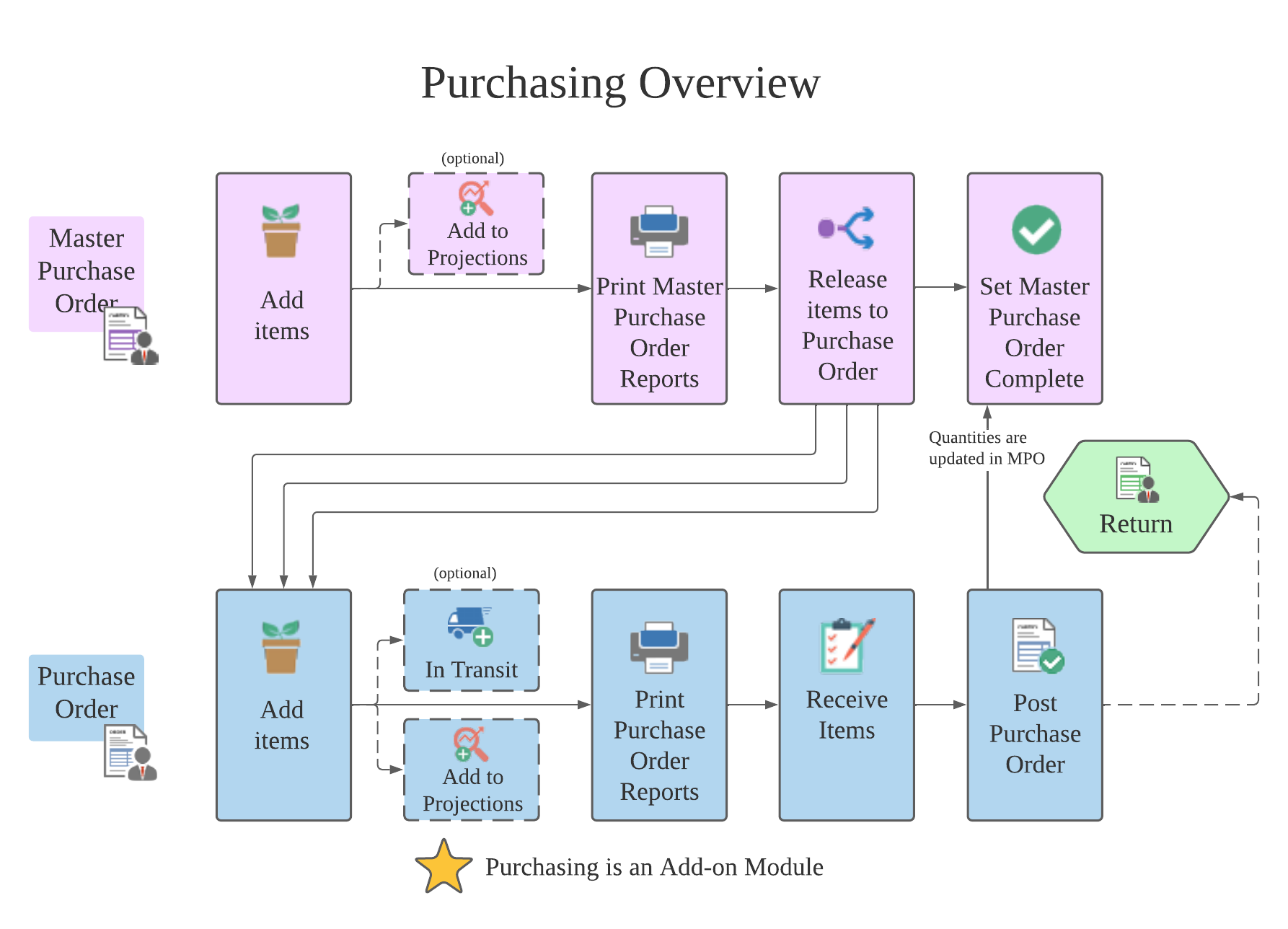
Master Purchase Order Flow
- Create a new master purchase order
- Add items to the purchase order
- You may choose to add the items on the master purchase order to projected inventory that is being purchased.
- Print master purchase order reports for yourself and vendors as needed
- Release groups of items from the master purchase order to purchase orders
- Process purchase orders
- Complete the master purchase order when all items are received
Purchase Order Flow
- Create a new purchase order
- Add items to the purchase order
- You may choose to sell items that are on a purchase order before they are recieved
- Print purchase order reports for yourself and vendors as needed
- Receive items as they arrive
- Post the purchase order to complete the order and lock it from further changes
- If you have the QuickBooks Desktop Integration Add-on Module, you can then sync the order invoice with QuickBooks Desktop or QuickBooks Online.
- Process a return to vendor as needed