Bulk Inventory Adjustments Tool
This tool requires the Advanced Inventory Control Add-on Module.
The Bulk Inventory Adjustments tool is designed to help you make adjustments to your inventory to groups of items all at the same time, rather than one-by-one. Here’s an overview of how it works.
Example Scenario: A grower who is cleaning and consolidating an area of their nursery would use the Bulk Inventory Adjustment tool to record the dumping of leftover material that wasn't sold. Instead of processing a single dump transaction for each item, the Bulk Inventory Adjustment tool completes dumps for each plant together in one simple transaction.
- Navigate to
 Inventory, then
  Bulk Inventory Adjustments.
 - First you will see a group of filters which you will use to select the right items to adjust. Click to include items from the various filters and when all the filters are chosen, click Search at the bottom right.
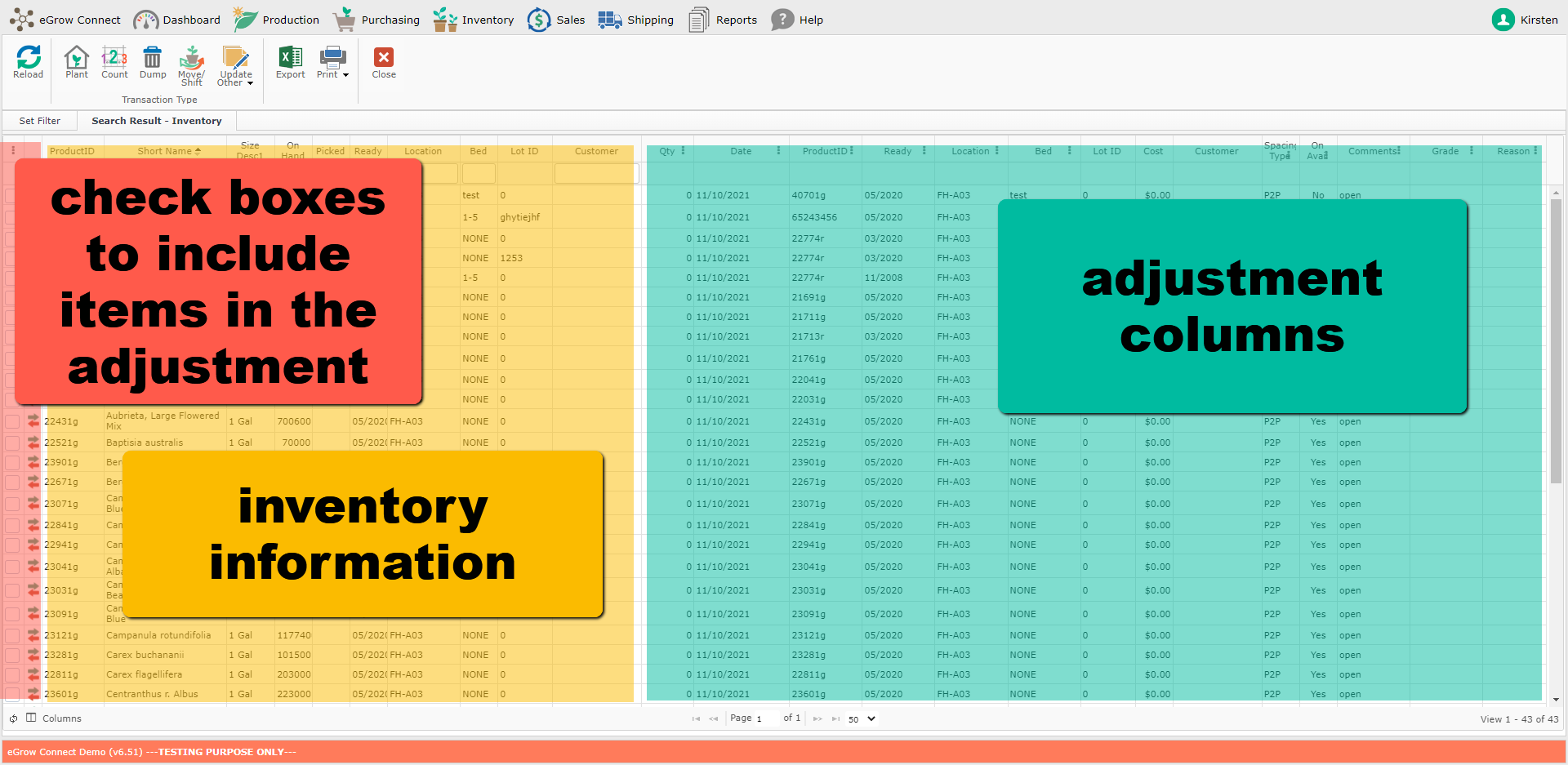
- Now you will see the list of items which match the filters you selected. On the left side are descriptive columns about the items and on the right side are the columns where you can make adjustments.
- Be aware that only 50 items at a time appear in search results by default. Page number or number of rows to show at a time can be changed on the bottom bar to view more of the search results.
- Make the adjustments by clicking to change the cell information. If you want all rows to be changed to the same value for a column, first adjust the top row's for that column to the desired value. Then with that cell still selected, click on the symbol in the column header and then click Aufofill Selected and “Yes” to confirm and the all rows will change to match the top row.
- In the Qty column, you can click on the symbol in the header and choose from the options to have the changes apply to the On Hand quantity or the Available quantities.
- Once the proper adjustments have been made, choose in the taskbar which transaction will be happening:
 Plant will add new items to the inventory
 Count will update the quantity of a crop
 Dump will remove items from the inventory
 Move/Transfer will change the location of items and/or change the item from one size/item to another.
 Update Other allows you to update *only* the comment, spacing type, grade, or On Availability status.
- You can then repeat the process by returning to the “Set Filter” tab and resetting or changing the filters to adjust different groups of inventory.